Get help faster with ROSI
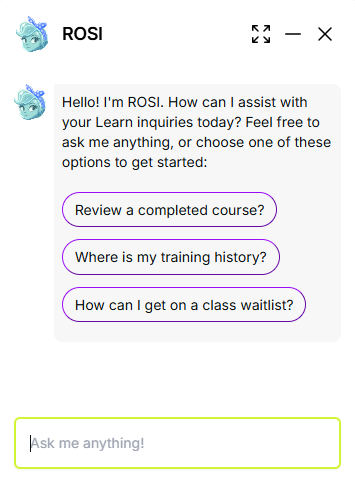
ROSI (Rival OS Intelligence) provides in-product help for Rival Learn. You can ask questions in natural language to quickly find Help Center content and learn how to complete common tasks.
In Learn, ROSI is designed for product guidance only. It does not access learning data or perform administrative actions.
Ask ROSI a question
- At the bottom right of the page, click the ROSI icon.
-
Select an existing question or enter your question in the Ask me anything box.
ROSI searches the Help system to find an answer. If an answer is available, ROSI displays it and includes a link to the source topic in the Help system.
Provide feedback
Your feedback helps improve ROSI responses.
- Ask a question.
-
Click
 and then click the Feedback link.
- Select a rating, then click Next.
- Enter optional comments and click Submit.
Enable or disable ROSI
ROSI availability is controlled by an administrator setting.
- From the navigation bar, click Enterprise.
- Under Configuration, click Settings.
- Click User Interface Settings.
- Select Enable ROSI to turn it on, or clear the checkbox to turn it off.